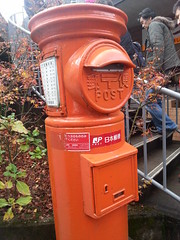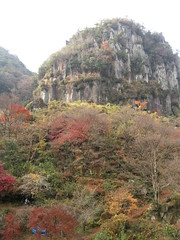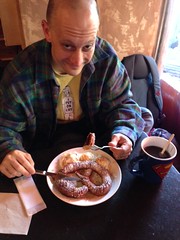
At Mud
Originally uploaded by renfield
took a little walk this morning. 3.5 hours, 17 kilos. Not a bad way to spend a morning.
https://maps.google.com/maps/ms?msa=0&msid=208582122114344737111.0004ce04453033af4719a Created by My Tracks on Android. Name: School To Work Activity type: walking Description: - Total distance: 2.64 km (1.6 mi) Total time: 30:36 Moving time: 28:05 Average speed: 5.18 km/h (3.2 mi/h) Average moving speed: 5.65 km/h (3.5 mi/h) Max speed: 11.70 km/h (7.3 mi/h) Average pace: 11.57 min/km (18.6 min/mi) Average moving pace: 10.62 min/km (17.1 min/mi) Fastest pace: 5.13 min/km (8.3 min/mi) Max elevation: 71 m (233 ft) Min elevation: 21 m (68 ft) Elevation gain: 155 m (509 ft) Max grade: 0 % Min grade: 0 % Recorded: 2012/11/09 8:03am
I think you might be interested in this track: https://maps.google.com/maps/ms?msa=0&msid=208582122114344737111.0004ce02f559f312280df Created by My Tracks on Android. Name: Work To Dojo Activity type: walking Description: - Total distance: 2.02 km (1.3 mi) Total time: 23:50 Moving time: 22:50 Average speed: 5.08 km/h (3.2 mi/h) Average moving speed: 5.31 km/h (3.3 mi/h) Max speed: 10.80 km/h (6.7 mi/h) Average pace: 11.81 min/km (19.0 min/mi) Average moving pace: 11.31 min/km (18.2 min/mi) Fastest pace: 5.56 min/km (8.9 min/mi) Max elevation: 112 m (368 ft) Min elevation: 40 m (131 ft) Elevation gain: 181 m (593 ft) Max grade: 0 % Min grade: 0 % Recorded: 2012/11/08 6:21pm
from Tkinter import *
import re

class Calculator(Frame):

    # dict of buttons
    buttons = {}

    # track if need to clear display before updating display
    to_clear = True

    def createWidgets(self):
        options = {'width':10, 'textvariable':'self.display', 'bd':1, 'relief':GROOVE, 'anchor':E}
        self.label = Label(self, options)
        self.label.grid(row=0, column=0, columnspan=4, sticky=W+E)

        # labels for calculator buttons
        b_text =  ["/"] + range(9, 6, -1)
        b_text += ["*"] + range(6, 3, -1)
        b_text += ["-"] + range(3, 0, -1) + ["+", "=", ".", 0]

        # lay the buttons out, making the key layout coords, value a button widget
        for row in range(4, 0, -1):
            for column in range(4):
                self.buttons[(column, row)] = Button(self, text = b_text.pop())
                self.buttons[(column, row)].grid(row = row, column = column)
                self.buttons[(column, row)].bind('', self.button_click)

    def __init__(self, master):
        Frame.__init__(self, master)
        self.pack()

        # to keep the display dynamically updated
        self.display = StringVar()

        # initialize to something purty
        self.display.set("0.0")

        # set me up!
        self.createWidgets()

    # callback when button is click'd
    def button_click(self, event):
        wut = event.widget['text']

        if wut == '=': # calc it!
            eval_me = self.display.get()

            # if there are no decimals, convert the first number to a float
            # this forces floating-point maths
            if not '.' in self.display.get():
                # find the first group of digits, stick a '.0' on the end of it!
                eval_me = re.sub(r'(\d+)', r'\1.0', self.display.get(), count=1)

            result = '{: f}'.format(eval(eval_me))
            self.display.set(str(result).rstrip('0').rstrip('.'))
            self.to_clear = True

        else: # track the input

            # keep using result if you want to
            if wut in ["+", "-", ".", "/", "*"]:
                self.to_clear = False

            if  self.to_clear:
                self.display.set(wut)
                self.to_clear = False

            else: #keep using the result value displayed
                show_me = self.display.get() + str(wut)
                self.display.set(show_me)

# begin!
root = Tk()
calculator = Calculator(root)
calculator.mainloop()
root.destroy()